Jibisha

Jibisha for studios, courts and bookable spaces

One space, one booking, no argument at the door.

When a court or a room is booked over WhatsApp, two groups turn up for the same hour. Jibisha holds the time the moment it is taken.

Set up my studio freeFree plan. No card.
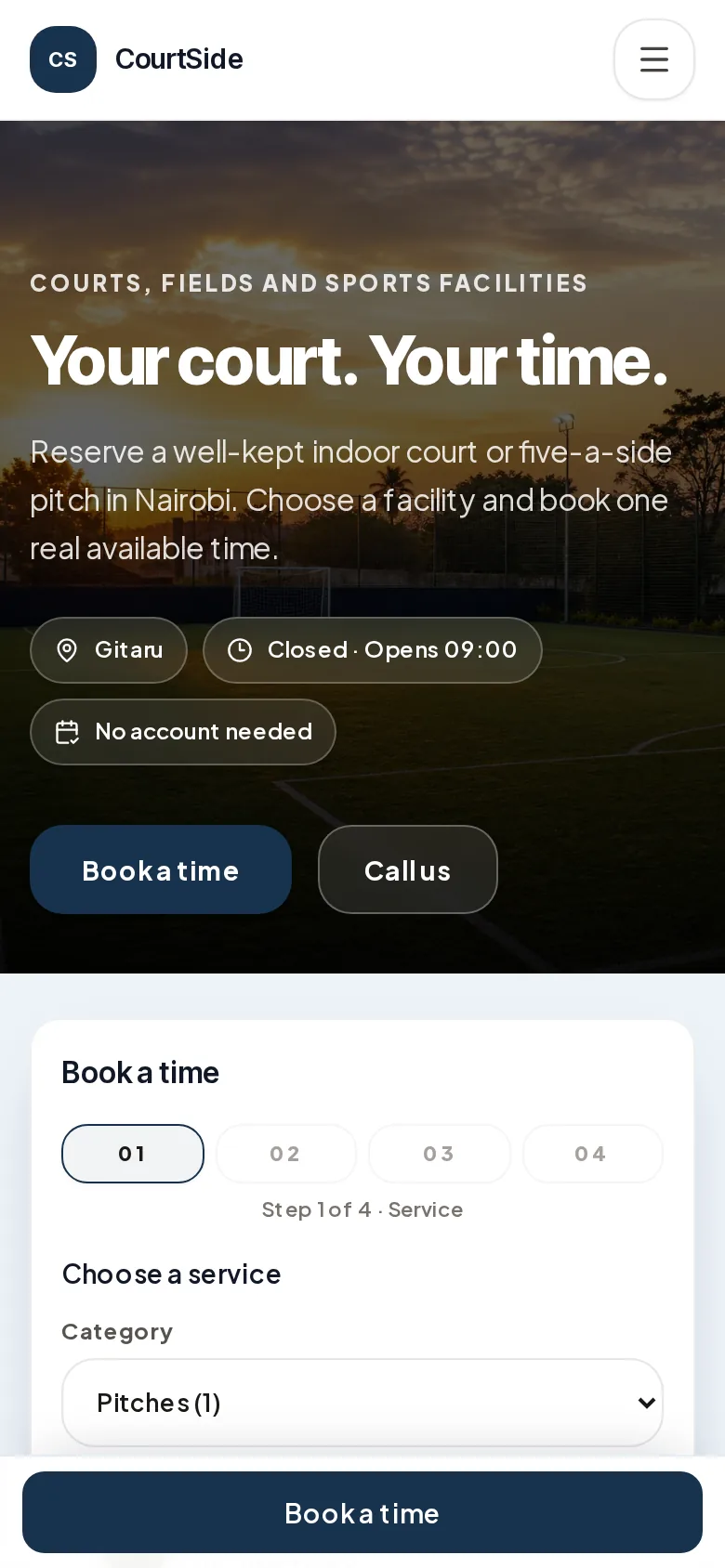
The Jibisha page a studio customer sees on their phone

What goes wrong in a busy studio

  • The same hour sold twice

    Two groups arrive for one court, because a chat thread never held the slot.

  • No record of who has which space

    Several spaces and rates, and nowhere showing what is taken when.

  • Money collected at the gate

    Cash taken at the gate, unlinked to the booking, impossible to reconcile.

  • Hours nobody published

    Customers ask when you open all day, because the answer lives in someone's head.

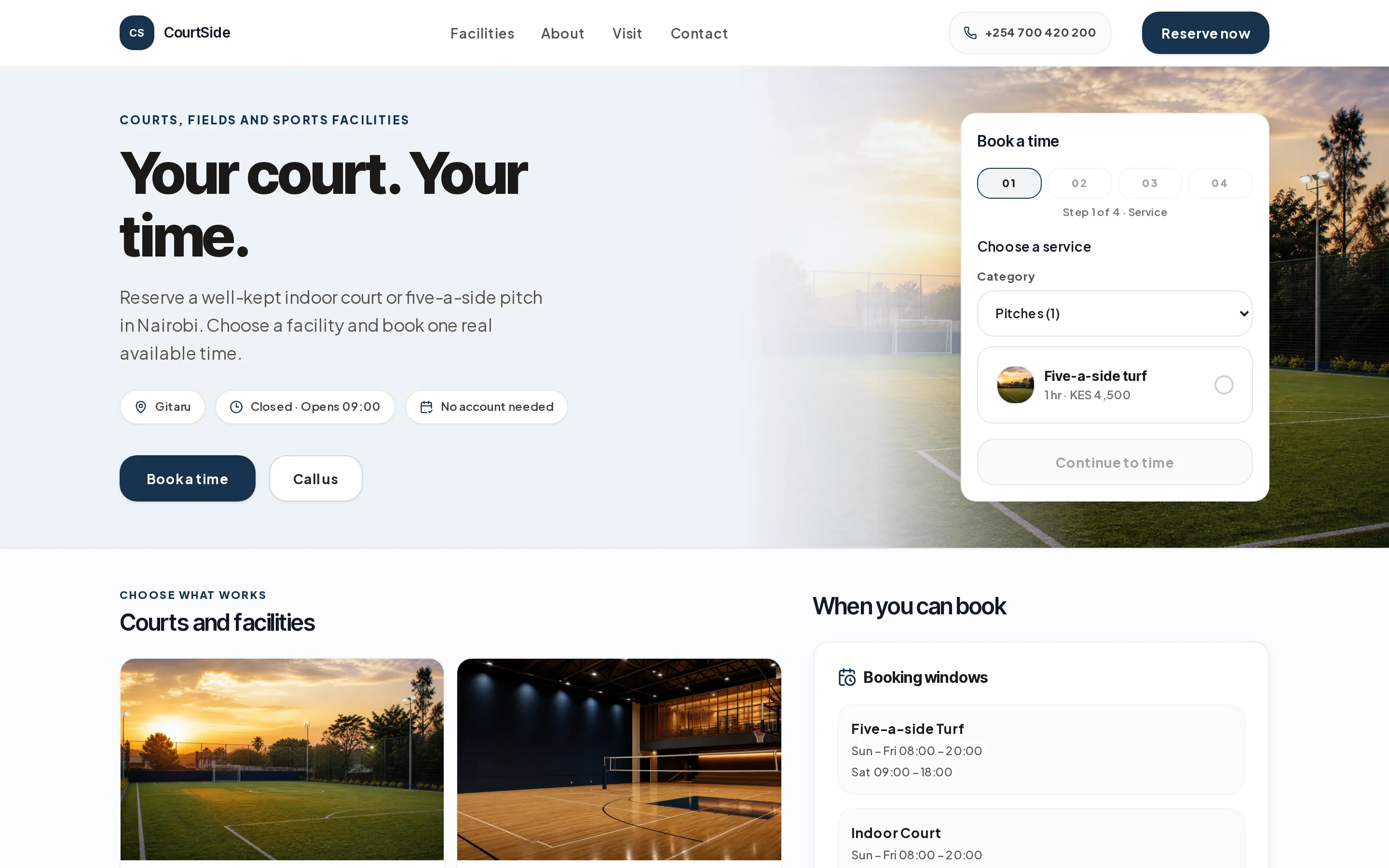
This is the page your customers get.

A real Jibisha reservation page, as a customer sees it on a laptop and on a phone. It is a screenshot of the running product, not a drawing of one.

The Jibisha page a studio customer sees on a laptop

How it runs

  1. 01

    The customer picks the space

    Each court, room or pitch, with what it is and what it costs.

  2. 02

    They take a time that is really free

    Availability comes from the bookings you already have. Taken means held.

  3. 03

    Payment sits on the reservation

    Paid, part paid or due on arrival, recorded against the booking.

  4. 04

    The day is one list

    Every space, every hour, on one screen the gate can work from.

What a studio gets

  • A booking per space, court or room
  • Availability from real reservations
  • Rates per space and per duration
  • Published opening hours
  • Payments and balances on the booking
  • One day view across every space

Questions we get

Can different spaces have different rates?
Yes. Each space carries its own price and duration, and the customer sees both before reserving.
Can I stop bookings outside my opening hours?
Yes. Customers are only offered times inside the hours you publish.
What if someone books and does not arrive?
The reservation stays on the record with its payment state, so a no-show is visible rather than lost.

Simple pricing

Start free. Add what your business needs.

Choose Free or Business to run the work. Add Messages only when you want a shared customer-conversation workspace.

Free

Start running the essential parts of one business without a paid subscription.

KES 0

No expiry. No card required.

  • One operating workflow: Shops, Custom or Bookings
  • Customers, sales and payment records
  • Basic reports and one active location
  • 1 team member
Start free

Business

Most popular

Add deeper team operations, controls and reporting as the business grows.

Planned standard price after launch

KES 2,800 / 30 days · USD 25 elsewhere

Freeduring launch
  • Everything in Free
  • Advanced stock, expenses and reporting
  • Receipts and formal day close
  • Team work, controls and attribution
  • 5 team members
  • Transactional customer updates
Get Business free

Optional add-on to Free or Business

Jibisha Messages

Add Messages to either Free or Business. Connect customer channels, manage conversations as a team and keep responses consistent with your business information.

Free during launch

Future subscription price: To be announced.

Add Messages free

One messaging workspace

  • Shared team Inbox
  • Customer channel connections
  • Conversation assignment
  • Customer updates in the same workspace
  • Knowledge and approved answers
  • Limited, metered launch messaging allowance

Messages is activated separately and does not automatically come with Business. Sending is metered and pauses when the launch allowance is used. Subscription, usage and top-up prices will be published before any charge begins.

No card required

No automatic billing

At least 30 days' notice

Set up your studio today.

Start on the free plan. Every setting we suggest is one you can change.